Features built around one question: where did it go?
Juggly AI keeps things simple. Four parts work together: capturing expenses, an overview of the month, saving tips with numbers on them, and a calendar for every charge that repeats.
Expense tracking
Paste it, and it's logged
Copy a purchase notification from your bank app, a line from a statement or a receipt email, and paste it in. Juggly AI picks out the amount, the shop, the date and the category.
- Works with bank texts, app notifications, statement lines and receipts
- A preview before anything is saved, or log straight away if you prefer
- Import a whole statement at once, or add an expense by hand
- Categories you can change, and it remembers your choice for that shop
Overview
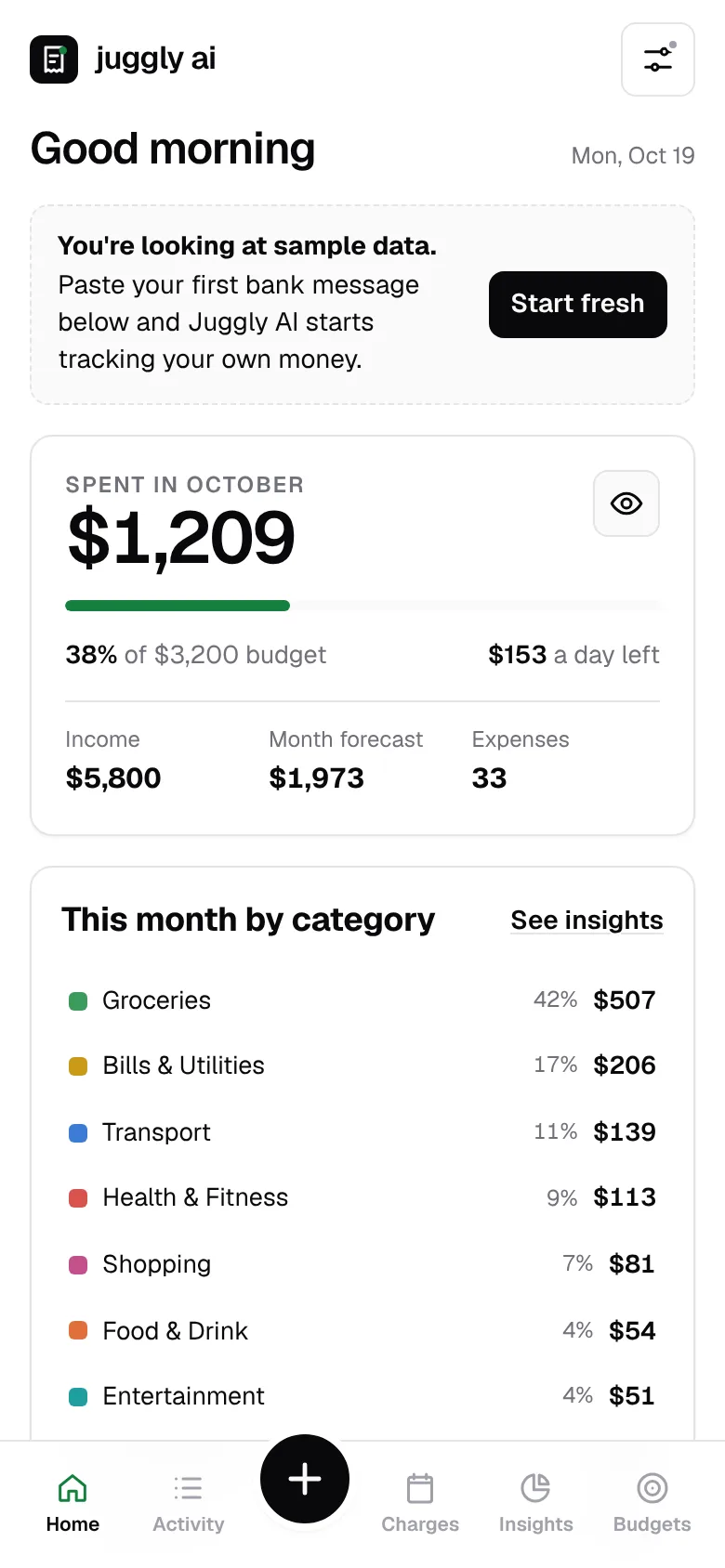
Your month at a glance
Open the app and see where you stand, without building a spreadsheet.
Spending by category
Groceries, eating out, transport, subscriptions and more, with this month next to the last one.
A forecast for the month
Based on how you've spent so far, so you can see the end of the month coming.
Per day, left to spend
Set a budget and Juggly AI shows how much you can spend each day to stay on it.
Saving tips
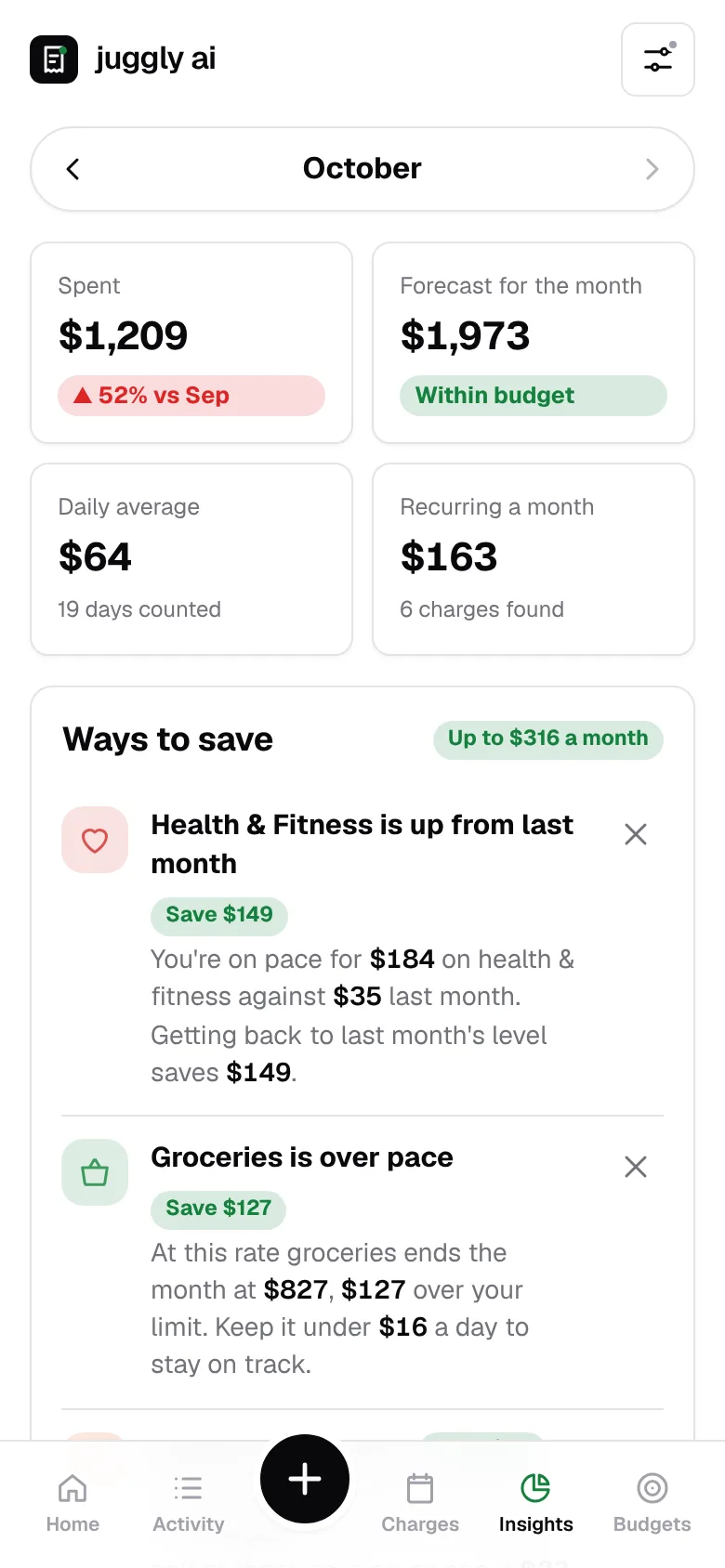
Tips with a number on them
Generic advice is easy to ignore. Juggly AI looks at your last 30 days and tells you what's running ahead and what getting back on pace would save.
- Categories that are over pace, and the daily amount that keeps you on track
- All your subscriptions added up, per month and per year
- Offers matched to the places you already shop
- A short monthly plan you can follow, not a lecture
Charges calendar
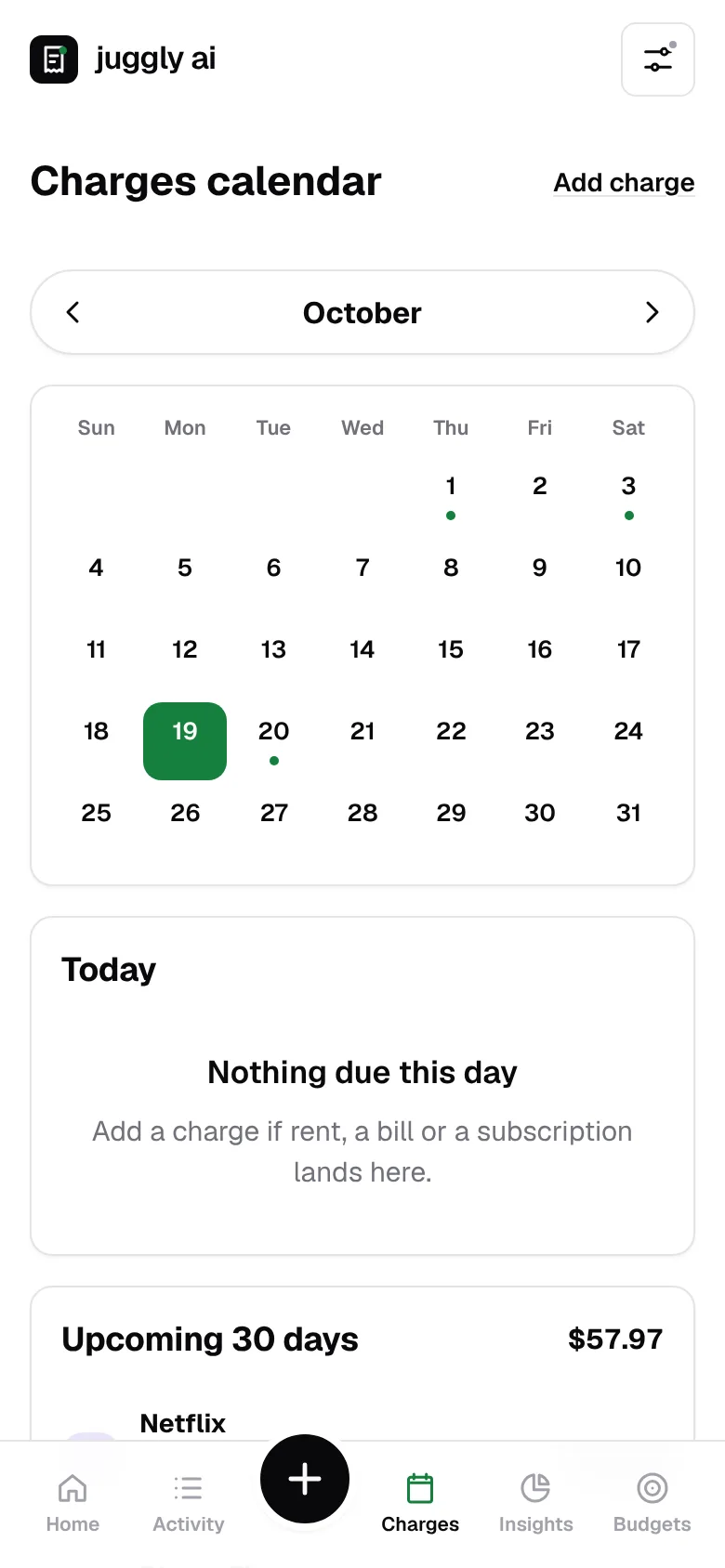
Every charge, on the day it leaves
Rent, subscriptions, insurance and bills go on one calendar. Each day shows the logo of the service that charges you, so a glance tells you what's coming.
- Logos for well-known services, and a coloured badge for everything else
- Busy days show stacked logos with a count
- The next 30 days listed with a total, so payday planning is easy
- Suggestions for repeat charges it spots in your expenses
And also
The details that make it calm
No bank login
You decide what goes in. Juggly AI never asks for your bank password.
Export or delete
Download your data whenever you want, or delete your account and everything in it.
Phone and desktop
Runs in the browser, so it works on your phone and your computer.
Be first in line
Juggly AI is launching soon. Join the waitlist and we'll email you when your spot opens. No spam, one or two emails a month at most.