Know where your money goes, and when it leaves.
Juggly AI is a calm expense tracker. Paste a bank message or a receipt and it's sorted for you. You get simple ways to save, and every bill and subscription goes on one calendar.
No bank login needed. Works in your browser, on phone and desktop.
What it does
Everything you need, nothing you don't
Three things, done well: see your spending, find money to save, and never get surprised by a charge again.
Paste, and it's logged
Drop in a bank message, a statement line or a receipt. Juggly AI finds the amount, the shop and the category.
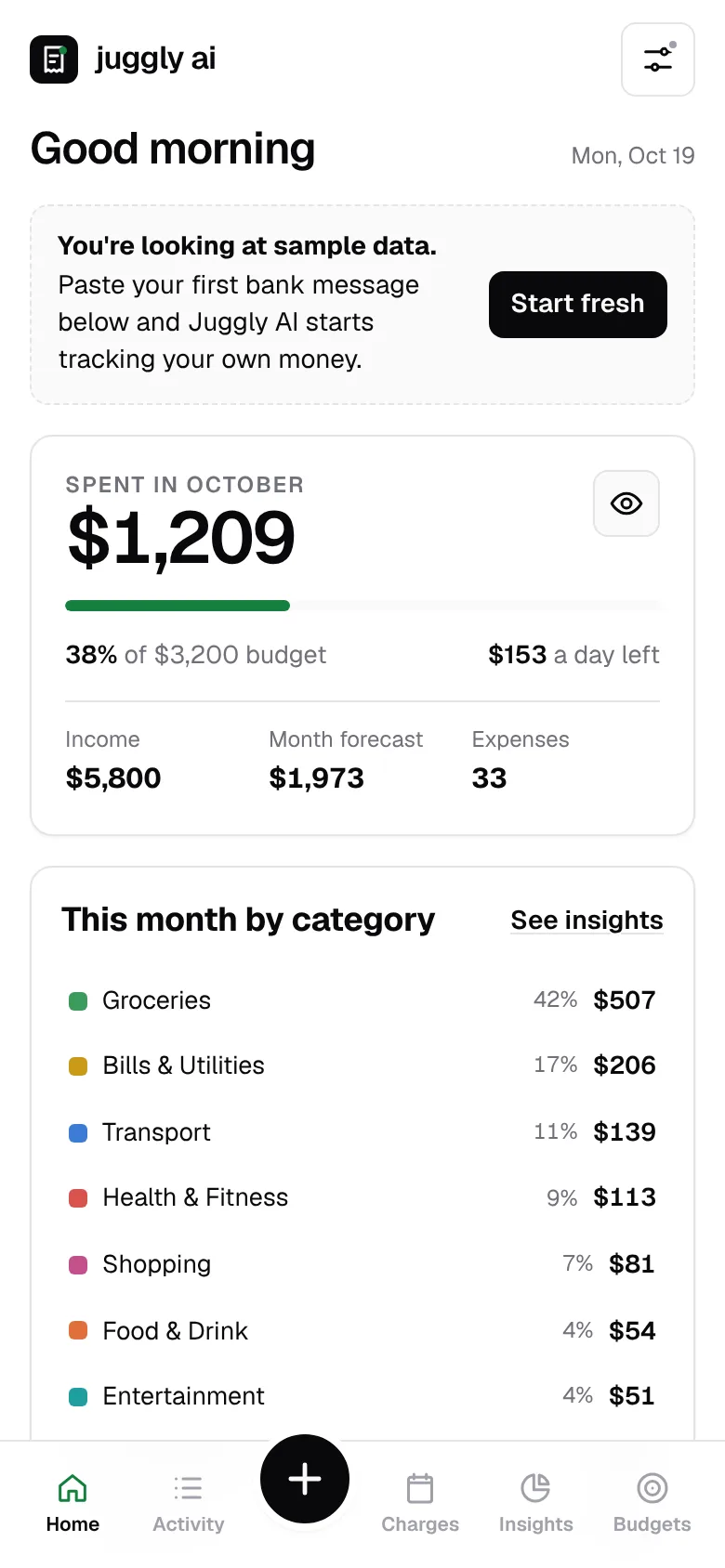
Your month at a glance
Spending by category, a forecast for the month and how much you can spend per day to stay on budget.
Saving tips that fit you
Tips based on your last 30 days, with a real amount on each one. They're about your spending, not generic advice.
A calendar for charges
Rent, subscriptions and bills on one calendar, plus a list of everything due in the next 30 days.
Spots repeat charges
When the same shop charges a similar amount on a regular schedule, Juggly AI suggests adding it to the calendar.
Private by default
No bank password, no selling your data. Your account is stored in the EU, and you can delete everything at any time.
Ways to save
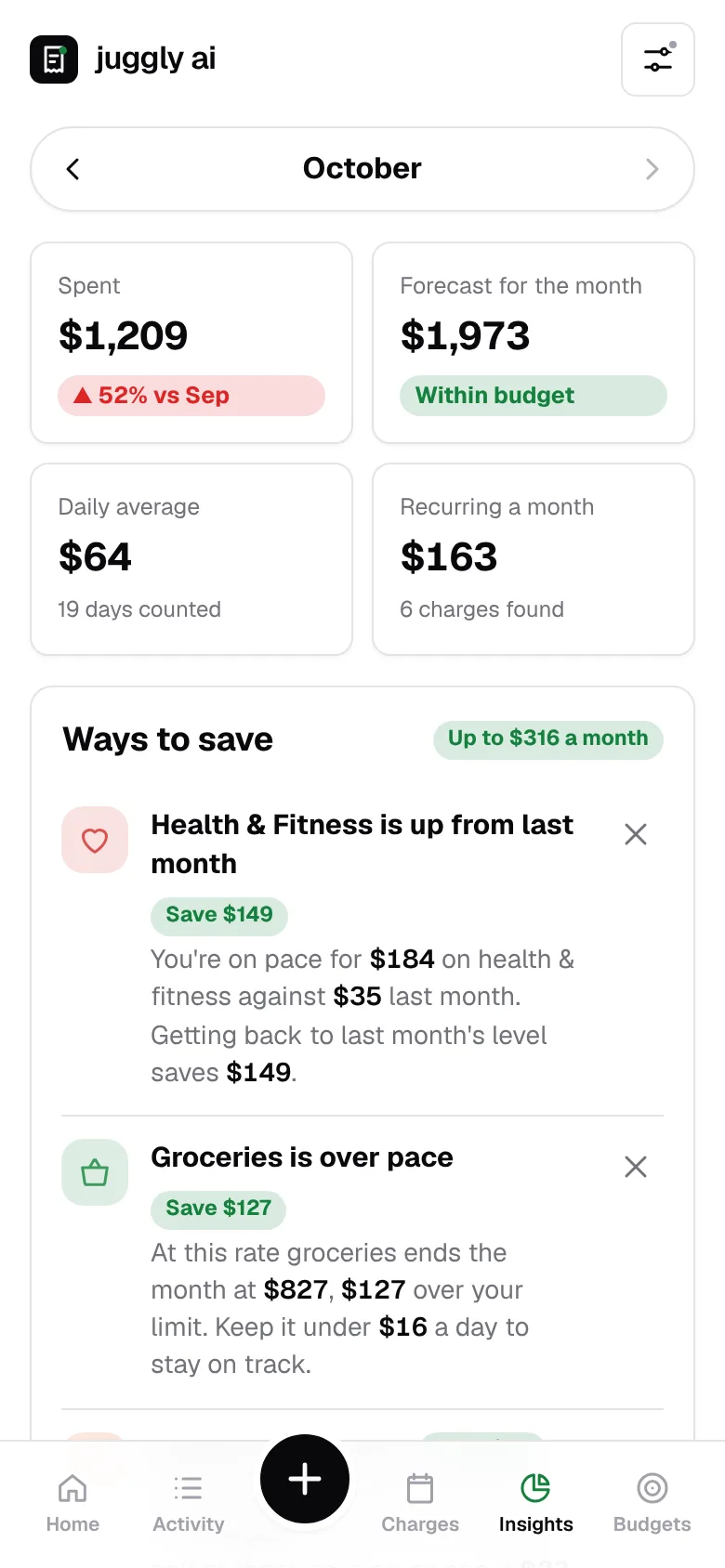
Tips with a number on them
Juggly AI compares this month with the last one and shows what's running ahead, with what you'd save by getting back on track.
- Categories that are over pace, and how much a day keeps you on track
- Subscriptions you pay for every month, added up
- Offers matched to where you already shop
Charges calendar
See what's coming before it hits
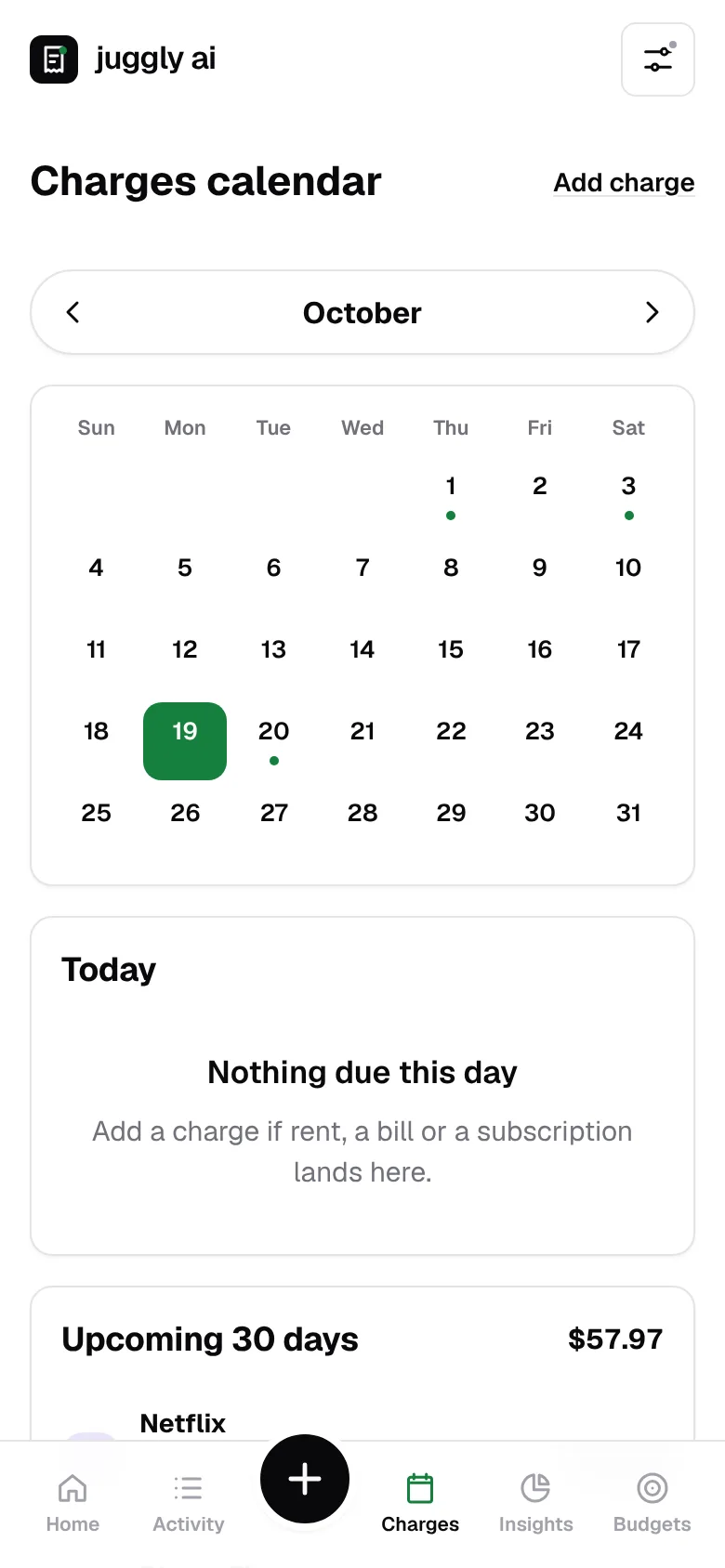
Every recurring charge has a date. Weekly, monthly or yearly, they all go on one calendar so payday planning takes a glance.
- Upcoming 30 days, with the total that's going out
- Suggestions for charges it spots in your expenses
- Optionally log them for you on their due date
How it works
Up and running in a minute
Create an account
All you need is an email and a password. It's free while we're in early access.
Paste your first expense
A bank text, a statement line or a receipt. You can also start from sample data to look around.
Add your fixed charges
Rent, phone, streaming. Juggly AI keeps the calendar and tells you what's due.
FAQ
Questions, answered
Is Juggly AI free?
Yes. It's free during early access. If we add a paid plan later, the basics will stay free and you'll hear about it first.
Do I have to connect my bank?
No. You paste bank messages, statement lines or receipts, or type an expense in. Juggly AI never asks for your bank password.
How do the saving tips work?
Juggly AI looks at your last 30 days by category and compares them with the month before. When something runs ahead, it shows how much you'd save by getting back on pace.
What is the charges calendar?
It's a calendar of the money that leaves on a schedule, like rent, subscriptions and bills. You add charges yourself or confirm the ones Juggly AI spots, and the next 30 days are always listed with a total.
Where is my data stored?
On Cloudflare's infrastructure in the EU. Only you can see your data, and you can export or delete it from the settings.
Is there a phone app?
Juggly AI runs in the browser on your phone and computer. Join the waitlist to hear when there's more, like an app for your home screen.
Which currencies does it support?
Several, including USD, EUR and GBP. You can change yours at any time in the settings.
Get early access news
Join the waitlist for new features and launch updates. One or two emails a month, at most.